Explorations
Explorations is a conversational UI feature in Tinybird. With Explorations, explore and interact with your data using natural language.
Getting started
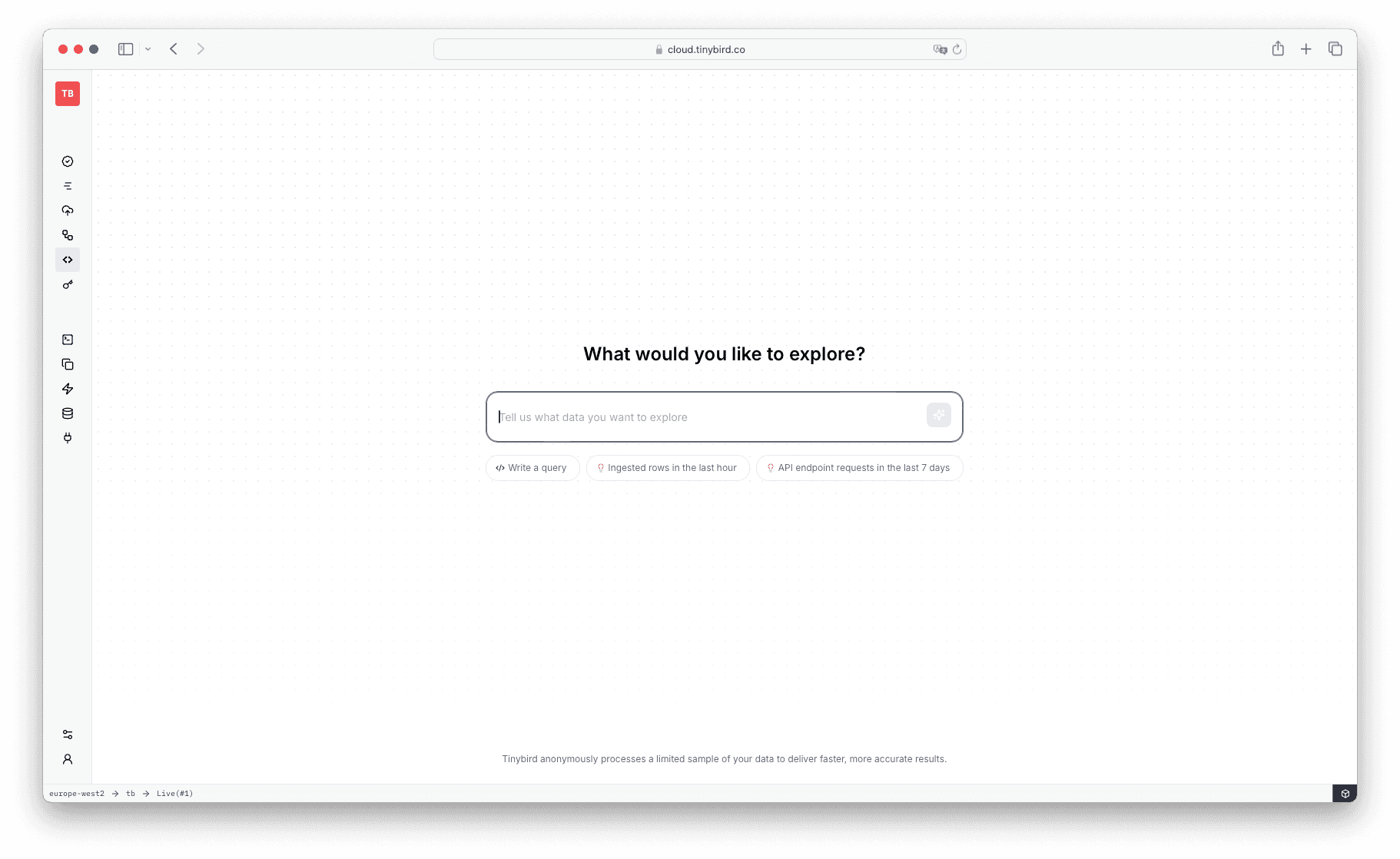
To start using Explorations:
- Go to Tinybird Cloud and log in to your account
- Select Explorations in the sidebar
- Start with a suggested prompt or ask your own question
- Begin exploring your data
How it works
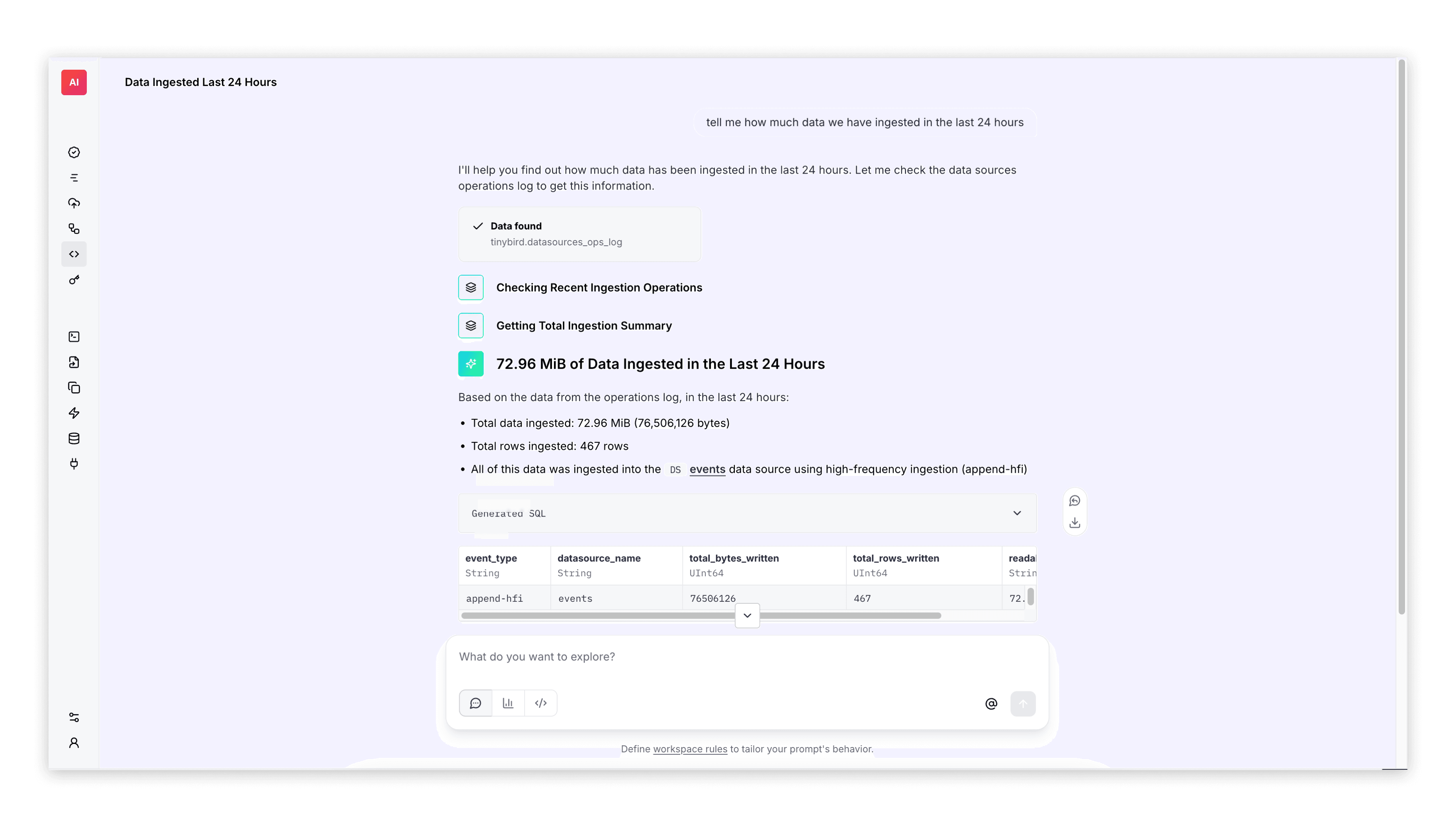
Explorations provides conversational analysis through a chat interface. Ask questions in natural language and receive structured, step-by-step responses. The AI breaks down complex analyses into clear, practical steps that build upon each other. The chat also suggests follow-up questions that reference previous results, creating a natural flow where each question deepens your understanding of the data.
If you want to write your own SQL queries, use Playgrounds. For time-based data visualization, use Time Series.
Get the most out of Explorations
Custom workspace rules
Fine-tune how the AI assistant responds to get faster and more relevant results. Inside an Exploration, select the workspace rules link in the chat prompt input area to add your custom rules. The assistant uses this context in all your prompts.
Add context
Select the @ icon near the submit button to add specific resources to your query. The LLM prioritizes them for that specific prompt.
Getting better results
Start with specific questions rather than broad exploratory queries. Instead of asking "show the data," try "what are the top 5 pages by traffic in the last 7 days?" The AI performs better with clear, focused requests that have measurable outcomes.
Start an Exploration from a URL
Add initialPrompt to a Workspace's /explorations URL to open a new draft with an editable prompt. Tinybird saves the Exploration and starts the assistant only after you submit the prompt.
https://cloud.tinybird.co/<aws|gcp>/<region>/<workspace_name>/explorations?initialPrompt=Show%20rows%20from%20the%20last%20hour
Replace the placeholders with your Workspace's cloud provider (aws or gcp), region, and name.
The parameter applies only to the new draft at /explorations. It does not change an existing Exploration. A missing, empty, or whitespace-only value opens a blank draft. If the URL repeats initialPrompt, Tinybird uses the first value.
Usage and billing
At the moment, Explorations usage is free for Developer and Enterprise organizations. Free organizations receive a limited number of credits per month per organization. Tinybird restricts them once they consume all credits. Read more in Free plan LLM usage.
Usage can be tracked using the llm_usage service data source.
Limitations and privacy
Explorations are available to all roles within a Workspace.
The Explorations AI chat is only available in Tinybird Cloud. Tinybird anonymously processes a limited sample of your data to deliver faster, more accurate results.
Currently, Explorations cannot be shared or exported. Each user can only access their own Explorations.
Next steps
- Learn about Playgrounds to write your own SQL queries.
- Learn about Time Series to quickly visualize data.
- Learn about Pipes.
- Learn about Materialized Views.