Data Platform

DevEx for agents
and developers
# Give your AI coding agent the ability to build and deploy analytics with Tinybird.
$ ❯ npx skills add tinybirdco/tinybird-agent-skillsHow it works
Real Developer Stories
Devs love Tinybird.
Your agents can too
ships faster with GitHub version control and one-click deploys.
per day
latency
per day
“Cost and performance are obviously important, but for me, a software developer, developer experience speaks loudest. My quality of life building with Tinybird was great. It was just so easy to develop.”

Malu Soares
Software Engineer at Framer

Why Tinybird
ClickHouse performance +
Vercel-level developer experience
devex-comparison.md
# Self-managed ClickHouse
23
ClickHouse database
4Fast queries
5- DIY local dev environment6- Stitch together CLIs and scripts7- DIY branching and previews8- Write your own deploy pipeline9- Manual schema migrations10- DIY test framework11- Build and maintain an API layer12- No native Agent support13- Weeks to ship# Tinybird
23
ClickHouse database
4Fast queries
5+ Full local stack, one command6+ One CLI, one SDK, standard SQL7+ Branches with production data8+ CI/CD built in9+ Automatic schema migrations10+ Built-in test framework11+ Write SQL, get an API12+ Native Agent support13+ Ship to production today
Built for developers
Easy for you.
Easy for your agents
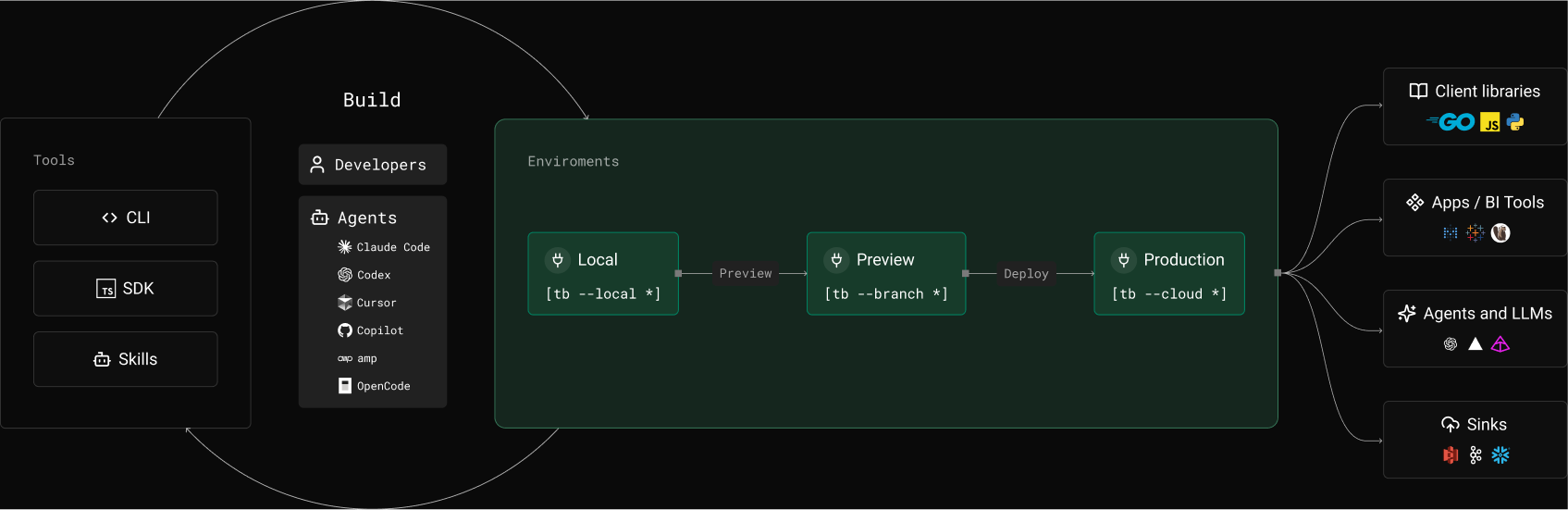
Local Development
- Run the full stack locally: ClickHouse, APIs, Kafka connector, and more
- Watch mode with auto-rebuild on save
- Local UI to explore queries and data
CLI & SDKs
- One CLI: dev, build, test, preview, deploy
- TypeScript SDK with full type inference
- Standard ClickHouse SQL in plaintext files
Agent Skills
- Optimized project scaffolding for agents
- All best practices: SQL optimization, schema design, testing...
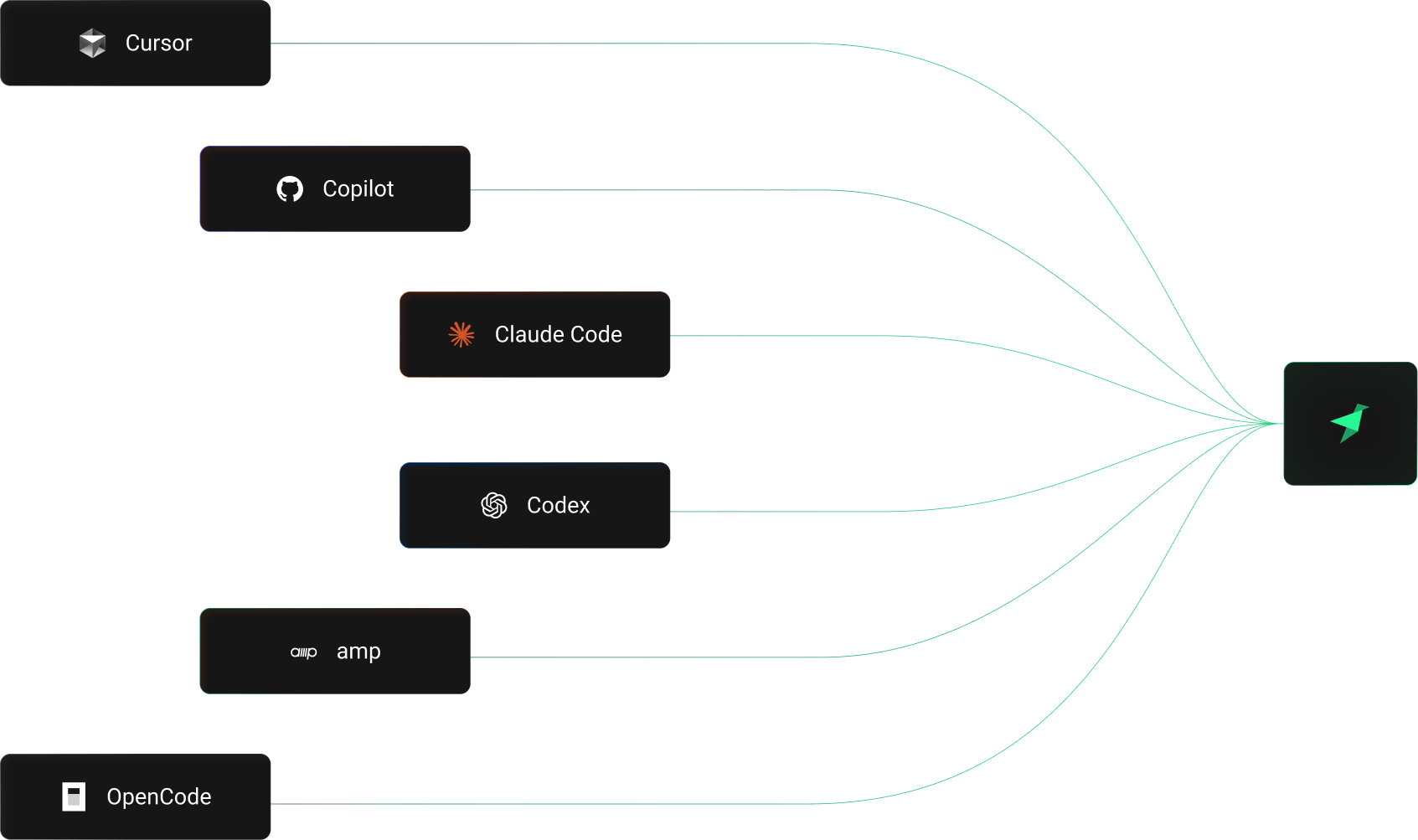
- Works with Cursor, Claude Code, Amp, Codex, Gemini CLI, and more
Branches
- Instant, isolated and ephemeral environments
- Preview deployments: End to end validation with real data
- Delete on merge, no leftover infra to clean up
Deployment API
- Automatic schema migrations, backfills, and rollbacks
- Built-in GitHub Actions and GitLab CI templates
- Zero-downtime incremental deployments
Real-time queries
- Integrate with BI tools, client libraries, and the TypeScript SDK
- MCP server for AI-native data access
- Pipe to Kafka, observability, or any downstream

Built for agents
Supported
Coding Agents
FAQs
How do AI agents build Tinybird projects?
Install agent skills to teach your coding agent the Tinybird project structure, file formats, SQL conventions, and deployment workflows. Compatible with Cursor, Claude Code, Amp, Codex, Gemini CLI, Windsurf, Cline, Aider, OpenCode, and GitHub Copilot. Your agent generates correct files that get picked up and built automatically.
What is the tb CLI?
The Tinybird command-line tool for the full development lifecycle: local dev, build, test, preview, and deploy. It validates and ships what you and your agents build.
How does the TypeScript SDK work?
Define datasources and endpoints in TypeScript with full type inference. The SDK provides type utilities so your data layer is fully typed and your IDE catches schema mismatches before they reach production.
Should I use the TypeScript SDK or datafiles?
Two paths to the same result. The TypeScript SDK is ideal if your project is already TypeScript-native. Datafiles (.datasource, .pipe) use Tinybird's native format with raw ClickHouse SQL. Both support local dev, CI/CD, and git workflows. Pick the one that fits your stack or both.
How does local development work?
`tb local start` runs the full stack in Docker: ClickHouse, Kafka consumer, Events API, and Tinybird server. Watch for file changes and rebuild automatically. Launch the local UI for interactive queries.
What are branches in Tinybird?
Ephemeral environments with production data. Create one to test schema changes, connectors, and Pipes against real data before merging. Delete when done.
How does CI/CD work with Tinybird?
Tinybird provides GitHub Actions and GitLab CI templates. On pull request: build, test, and dry-run validation. On merge to main: deploy to production.
How does schema iteration work?
Change your `.datasource` file and deploy. Backward-compatible changes are applied automatically. For breaking changes, use `FORWARD_QUERY` to define a migration query. Agents can make these changes too.
What happens when something breaks?
Build validates all datafiles and catches syntax errors, schema mismatches, and broken references with specific error messages and line numbers. Deploy does a dry-run against production before going live. If a deployment fails, your previous version stays active.
What about lock-in?
Tinybird runs ClickHouse. Your datasource files define ClickHouse schemas. Your Pipe files contain standard ClickHouse SQL. If you move to self-managed ClickHouse, your data model and queries transfer directly.
Do I need ClickHouse expertise?
If you know SQL, you can build with Tinybird. The platform handles infrastructure and migrations. If you don't know the optimal ClickHouse patterns, your agent does.
How does pricing work?
Free tier with no credit card required. Production pricing is based on usage: compute, storage, and data transfer. See the pricing page at /pricing for plans and a cost calculator.

Start building.
Ship today
- Quickstart guide: From zero to a deployed API endpoint.
- Agent skills: Teach your AI agent how to build Tinybird projects.
- CI/CD guide: Set up GitHub Actions or GitLab CI for your project.